Quick Answer: Should You Use Downr?
Downr remains available in 2026, allowing you to download online videos and audio files from YouTube, TikTok, Instagram Reels, and Facebook without installing any software. Its official websites (downr.org/downr.net) are generally usable. For occasional downloads (1-2 times a week), Downr is a convenient option. However, if you require higher video download reliability, batch downloading, or advanced conversion features, a desktop application may be more suitable.
| Question |
Quick Answer |
| Q1. What is Downr's official website? |
https://downr.org/
https://downr.net/ |
| Q2. Is Downr safe? |
Generally usable, but watch for ads and clone websites. |
| Q3. Is Downr still working? |
Yes, though download reliability varies. |
| Q4. Is Downr free? |
It is free for now. |
| Q5. Is Downr worth using? |
Good for occasional use, limited for advanced downloading. |
| Q6. Who is this best suited for? |
Quick, occasional downloads through a web browser. |
Part 1: What Is Downr?
Downr is a browser-based online video and audio downloader that requires no software installation. Users simply enter the video link through a webpage and it generates a downloadable file. It's commonly used to save content from major video platforms for offline viewing or to extract audio. It's also considered a lightweight and easy-to-use download solution.
What Can Downr Download?
| Supported Devices |
Windows, Mac, Linux, Android, iPhone |
| Registration Required |
❌ No registration required |
| Supported Platforms |
YouTube, Dailymotion, Vimeo, Snapchat, SoundCloud, Pinterest... |
| Video Output |
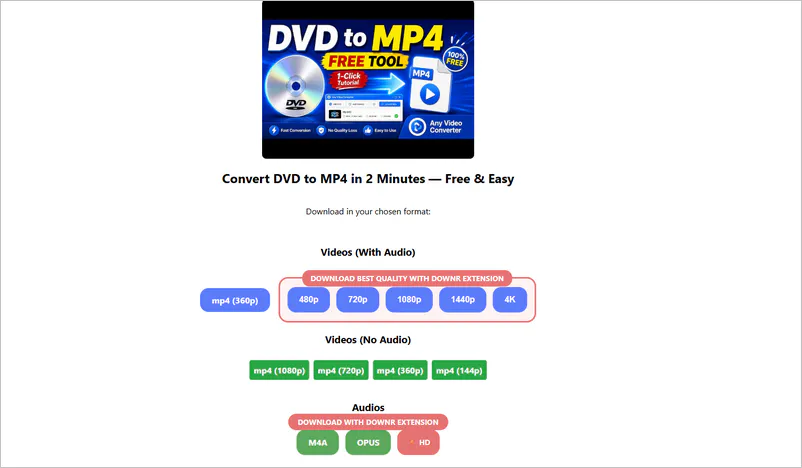
MP4 (360p), MP4 (no audio) |
| Audio Output |
MP3, M4A, OPUS |
| Playlist Support |
❌ No playlist parsing or downloads |
| Entire Channels |
❌ Not supported |
| Batch Downloads |
❌ No batch downloads |
| High-Quality Downloads |
⚠️ Need to install a Chrome extension |
The above is a quick overview of Downr's key features. In my daily life, I frequently use YouTube, Facebook, Pinterest, Twitter, Instagram, and Reddit, so I entered their links into downr.org and found that it could indeed parse them successfully. However, Facebook Reels could only be downloaded online as muted videos.
This is normal behavior on the Downr website, so you may encounter videos without audio when you download them. In this case, its Chrome extension can solve this problem, which will be explained in detail in Part 4.
When you encounter issues like 360p video limits, missing audio, or the need to install extra Chrome extensions, a desktop tool offers a more convenient solution.
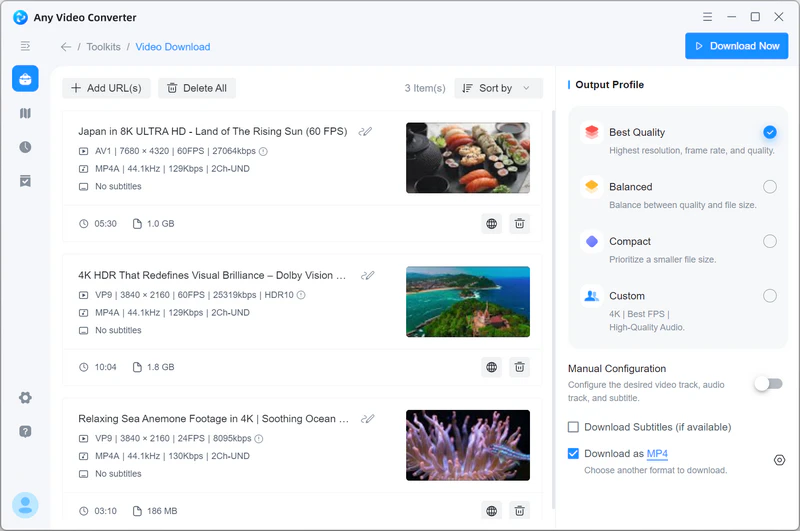
Any Video Converter can be an upgrade option in this situation. It serves as an excellent upgrade for these scenarios. It supports processing links for YouTube videos, playlists, and channels, allowing you to batch download by adding multiple URLs at once. For available video sources, you can select higher resolutions and audio formats without relying on browser extensions. Once the download is complete, you can also proceed with format conversion, audio extraction, or basic editing.
- Not limited to a single video, it can parse URLs in batches
- Download YouTube playlists and channel content
- Handle HD/4K/8K downloads without a Chrome extension
- Save high-quality video with sound for free
- Convert, compress, or edit videos after downloading
Downr.org vs Downr.net vs Ddownr.org
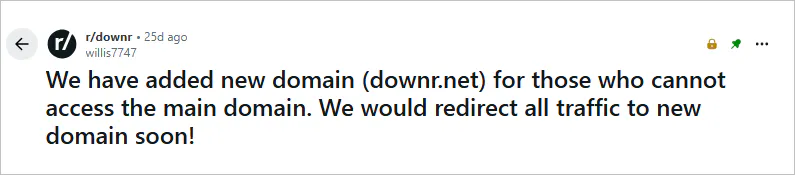
Interestingly, when I first searched for "Downr", I was redirected to ddownr.org. This was tricky; the extra "d" before the domain name made me think they were the same website. However, ownership, supported features, availability, and download success rates may differ. As I mentioned above, Downr officially identifies downr.org as its main website, and the team announced downr.net as an additional domain in May 2026.
| Website |
Purpose |
Notes |
| ✅ Downr.org |
Main downloader website |
Most commonly referenced domain. |
| ✅ Downr.net |
Additional / backup domain |
New domain for those who cannot access the main domain. |
| ❌ Ddownr.org |
Separate downloader platform |
Often confused with Downr due to similar name. |
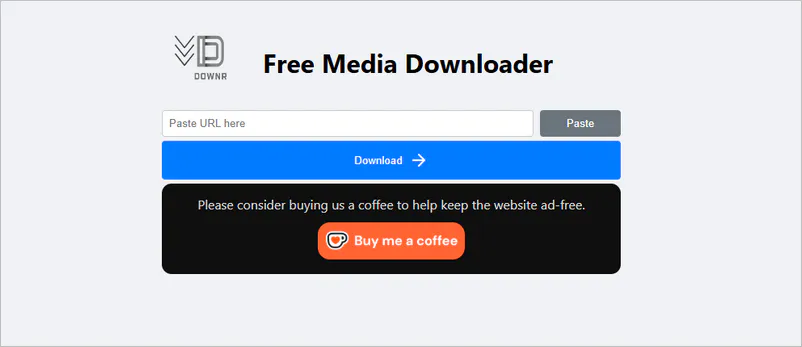
- Downr.org: The official main domain. Its website prominently displays the words "Free Media Downloader".
- Downr.net: An official backup domain added in May 2026 for users who cannot access the main domain. The owner will soon redirect all traffic to the new domain. Plus, their web pages look exactly the same.
- Ddownr.org: A separate web-based downloader with a completely different web page and owner.
Part 2: Is Downr.org Safe?
I entered downr.org into three third-party website reputation services, and the three services returned mixed results. As of September 2026, I haven't received many malicious ads or redirected pages while downloading videos.
1. Scam Detector Review
- Score: 45.2 / 100 in this test
- Tags: Doubtful / Medium-Risk / Alert
2. Gridinsoft Review
- Score: 68 / 100 in this test
- Tags: Trusted but Verify
3. ScamAdviser Review
- Score: 81 / 100 in this test
- Tags: Likely Safe
Downr.org Safety Checklist
| Security Check |
Finding |
| SSL Encryption |
Enabled (HTTPS secure connection) |
| Malware Detection |
No confirmed malicious code detected |
| Blacklist Status |
Not listed on major security blacklists |
| Domain Age |
~ 1 year (relatively new domain) |
| WHOIS Information |
Hidden |
| Ads & Redirect Risk |
Low to medium risk of ads and redirects |
| Overall Risk Rating |
⚠️ Use with caution |
This table summarizes downr.org's key security indicators based on three third-party website safety analyses. Overall, downr.org is classified as an online download tool that is "usable but requires caution" as of 2026. Please avoid clicking on anything other than the actual download button or using unofficial browser extensions.
Part 3: Downr.org vs. Downr Extension: Which Should You Use?
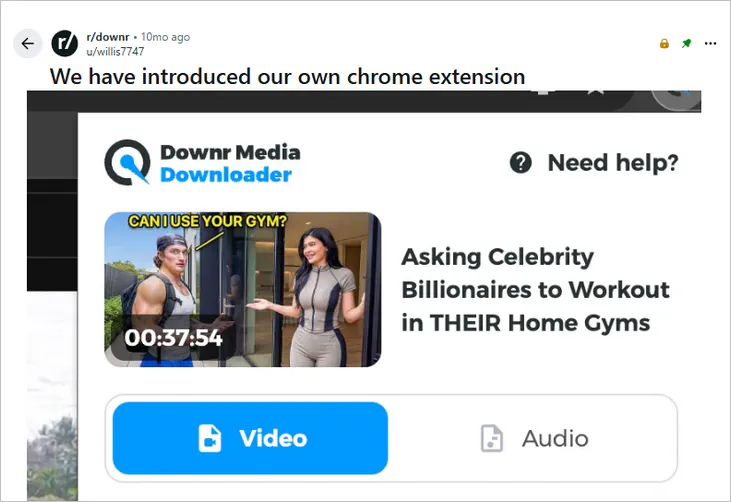
If you follow the Downr Reddit community, you will notice that it introduced its Chrome extension a few months ago. The table below provides a quick overview of the differences between the web version and the extension.
| Feature |
Downr.org |
Downr Chrome Extension |
| Usage |
Browser-based (paste link) |
Installed browser add-on |
| Setup Required |
None |
Requires installation |
| Output Quality |
360p only |
360p - 4K |
| Video Length Support |
> 4 hours, but low quality |
< 4 hours |
| Output Format |
MP4, muted MP4 |
MP4, MP3, M4A, OPUS |
| Download Speed |
Fast for single downloads |
Faster downloads |
| Batch Downloads |
No |
No true batch downloading |
Clearly, the Downr website is better suited for quick, no-install downloads. The extension may provide higher-quality options, but it was only partially reliable in the test, and some users have reported unexpected search redirects.
Use Downr.org if you:
- Download on your mobile phone
- Don't want to install anything
- Need fast, one-time video download
Step 1: Open the YouTube video, Facebook Reel, Vimeo video, or other supported page you wish to download, then copy the video URL.
Step 2: Go to https://downr.org/, and you will see an input box for video links. Paste the video URL you just copied.
Step 3: Click "Download", and the site will display the available download options - usually just MP4 360P. Clicking it will open a new page.
Step 4: Right-click on the new page and select "Save as..." to save it to your local computer.
Use Downr Chrome Extension if you:
- Don't want to copy video URLs
- Need HD/4K video quality
Step 1: Install the "CRX Launch" (aka Downr Media Downloader) Chrome extension.
Step 2: After installation is complete, directly open the page of the video you want to download.
Step 3: Click the extension icon to locate "CRX Launch", then click it to automatically detect video resources on the current page.
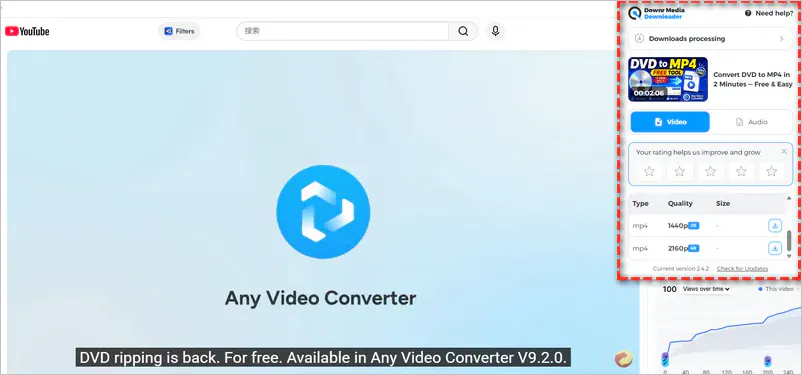
Step 4: Depending on the available video resources, you may see MP4 360P - 4K, MP3 64–320 kbps, or other formats. Simply select the format and quality you need.
Downr Chrome Extension Review:
When I checked the reviews, I found that the negative reviews of the Downr Chrome extension mainly focused on browser search redirection issues. Multiple users have reported that after installing the extension, their Google searches are redirected to Yahoo.
For routine downloads, use Downr.org first. Alternatively, please check the permissions requested by the extension and observe whether the browser's search engine, homepage, or redirection behavior is abnormal after installation.
Part 4: Does Downr Still Work in 2026?
To obtain more objective results, I tested the actual performance of downr.org, downr.net, and the Downr Chrome extension using the same videos and recorded the results in the table below.
| Version |
Status (As of Testing Date) |
Notes |
| Downr.org |
✅ Working |
Successfully parsed and downloaded tested links |
| Downr.net |
✅ Working |
Successfully parsed and downloaded tested links |
| Downr Chrome Extension |
⚠️ Partially Working |
Some video pages said "No video data on this page" |
As of the date of testing, downr.org and Downr.net remained accessible and successfully parsed and downloaded the YouTube, Pinterest, Reddit, Facebook, and Twitter video links I entered - although the downloaded videos were limited to 360p resolution.
As for the Downr Chrome extension, I found that it worked well for downloading HD YouTube videos. However, media detection performance varies across different websites, and the extension may still fail to recognize videos on some pages.
Downr's web version and Chrome extension both have a notable limitation: they do not support playlists or batch downloading. Instead, the tools below offer a more comprehensive download experience.
Part 5: Best Downr Alternatives for Video Downloads
| Downr Alternatives |
Batch Download |
HD/4K Support |
Special Features |
Best For
|
| Any Video Converter |
Batch URLs + playlist/channel download |
Up to 8K/HDR when available from the source |
All-in-one media solution |
Users who want high-quality downloads + editing |
| JDownloader |
Batch URLs download |
Depends on the quality of the source video |
Open source |
Advanced users |
| MediaHuman
|
Batch URLs download |
Depends on the quality of the source video |
One-click download |
Users who want simple downloads & format conversion |
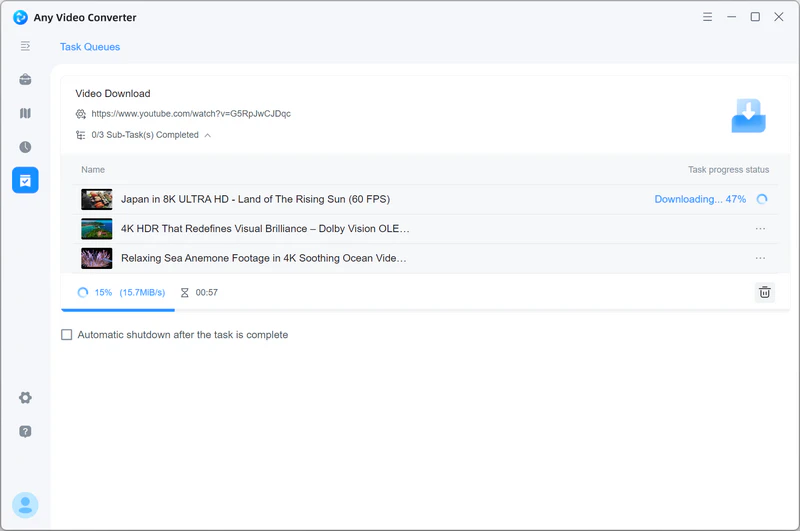
Downr processes individual links; in contrast, Any Video Converter allows you to add multiple video URLs to the download queue at once, supports parsing YouTube playlists and channels. For available YouTube and 1000+ video sources, you can select 4K, 8K, or HDR output options, and save the content as MP4, M4A, or MKV, or extract the audio into MP3, FLAC, or WAV.
If you frequently follow a specific YouTube channel or playlist, you can set up an automated download task to continuously monitor for updates. When a new video is detected, Any Video Converter automatically adds it to the download queue. This eliminates the need to manually copy links and restart downloads every time new content appears.
| Need |
Downr.org |
Downr Chrome Extension |
Any Video Converter |
| Installation |
No installation |
Add Chrome extension |
Need installation |
| Quick single download |
✅ Suitable |
✅ Suitable |
✅ Suitable |
| Multiple URLs |
Not available |
Not available |
✅ Support multiple URLs |
| Playlist downloads |
Not available |
Not available |
✅ Download success |
| Monitor new content |
Not available |
Not available |
✅ Provide auto download management |
| HD/4K availability |
Not available |
✅ Up to 4K when available |
✅ Up to 8K/HDR downloads;
depends on available source streams |
| Output formats |
Limited |
Limited |
MP4, MP3, M4A, FLAC and more |
| Video editing |
Not available |
Not available |
Convert, trim, compress, merge and subtitle tools |
How to Download and Convert Online Videos with Any Video Converter
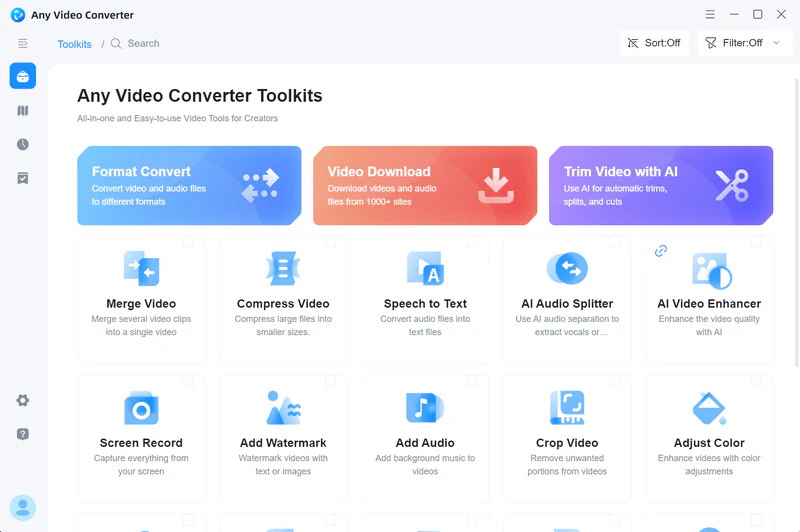
Step 1 Download and install Any Video Converter on your computer. Don't forget to launch the software and open the Video Download tool.
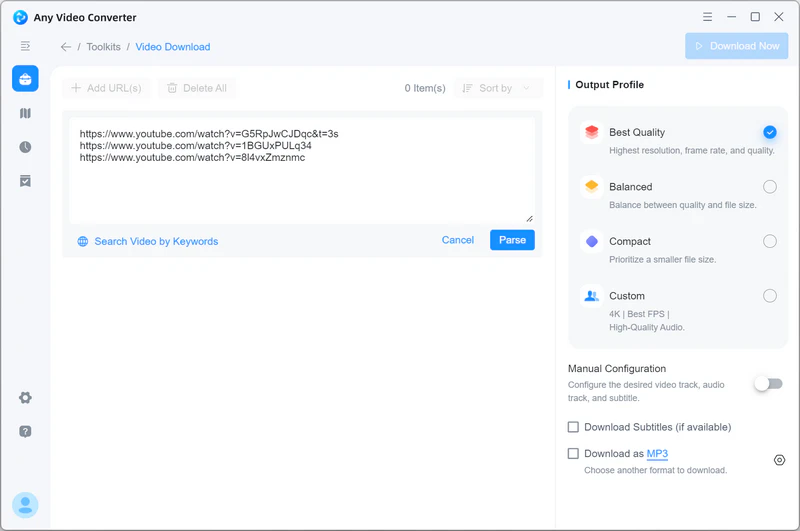
Step 2 Copy the video URLs from YouTube, Facebook, TikTok, or another supported website. Paste them into the search box and click "Parse Now" to process video analysis.
Step 3 Choose your preferred quality (best/balanced/compact, all for free) or MP4/MP3 output format in "Custom".
Step 4 Click "Download Now" to download and convert videos at once.
✔️ YouTube and 1000+ websites are available (more than Downr)
✔️ Batch download and convert formats to MP4, MP3, M4A, FLAC, etc
✔️ 720p - 8K MP4 & 128 kbps - 320 kbps MP3 downloads
✔️ Built-in video trimming/merging, AI video enhancement, and more editing features
✔️ Custom batch file renaming for convenient local management
✔️ Unlimited long video downloads for free
|
|
|
❌ Available only for Windows and macOS
|
|
5.2. JDownloader
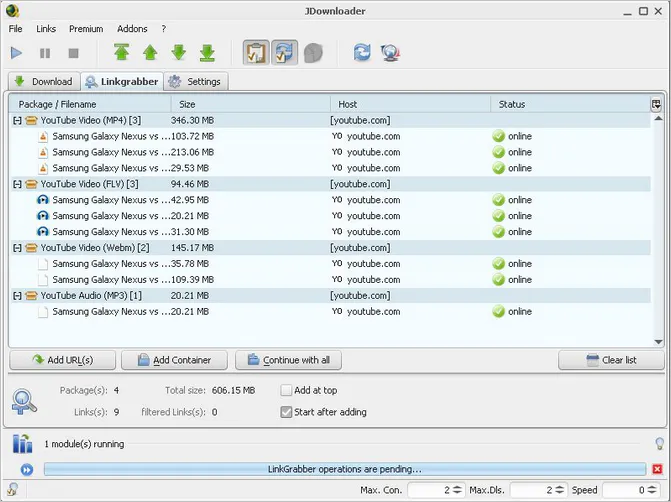
JDownloader is an open-source, cross-platform (Windows, macOS, and Linux) download manager that supports downloading video and audio resources from over 1000 websites. It primarily supports Mega, Google Drive, Rapidgator, YouTube, and various website hosting services.
✔️ Completely free and open source
✔️ Supports more websites than Downr
✔️ Supports batch downloading and resume interrupted downloads
|
|
❌ Unable to download age-restricted YouTube videos
❌ The interface is complicated, requiring learning time
|
|
5.3. MediaHuman
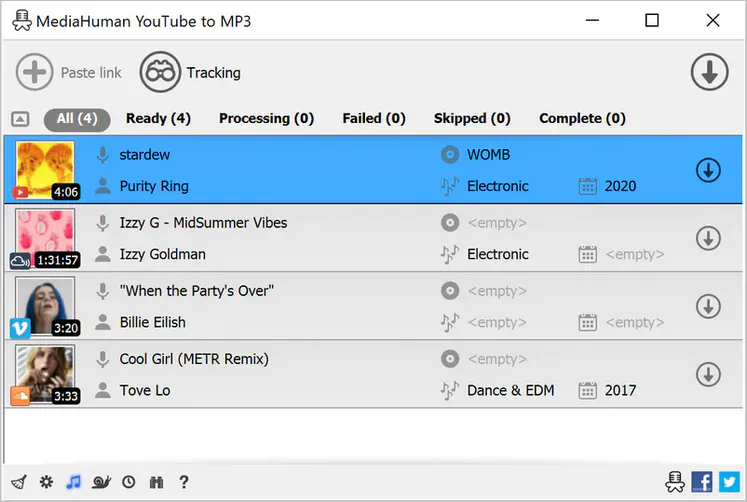
MediaHuman's two most famous tools are YouTube Video Downloader and YouTube to MP3 Converter. Its biggest feature is support for exporting audio and video to iTunes/Music.app. Despite its name containing only "YouTube", it actually supports downloading mainstream media such as SoundCloud and Facebook.
✔️ Easily download playlists/channels
✔️ Add downloaded content to your iTunes library
✔️ Download videos simultaneously
|
|
❌ Limited output formats (MP4, FLV, WEBM, MP3, M4A, OGG, WAV)
❌ The free version can download only 20 videos
❌ Slow video parsing speed
|
|
Part 6: FAQs about Downr
Is Downr safe to use?
As I mentioned in the article, Downr appears to be usable based on the testing, but third-party security assessments are mixed. You should still be aware of potential ad redirects, phishing websites, and potential privacy risks.
Is downr.org the official website?
Yes. Downr has also officially announced the new domain name downr.net on the Reddit community.
Is downr.net the same as downr.org?
Yes. Downr.net and downr.org are operated by the same owner.
Does Downr have a Chrome extension?
Yes. Downr offers a Chrome browser extension, but it's called "CRX Launch". The extension provides higher download quality (up to 4K) than the web version.
Is the Downr extension safe?
Downr officially identifies CRX Launch as the browser extension used for its media downloader. However, this does not mean the extension is entirely risk-free. Check the permissions requested by the extension and review the latest Chrome Web Store feedback before installing it.
Can Downr download YouTube videos in 4K?
The Downr web version does not provide 4K downloads. Its extension offers a 4K option, but this depends on the source video. If your source video is in 4K quality, the Downr extension may be able to download it as 4K. However, in my testing, not all YouTube 4K videos could be downloaded as 4K; sometimes the download failed.
Does Downr have an Android or iOS app?
No. Downr is primarily available as a web version and a Chrome extension. No official Android or iOS app has yet been found.
Is Downr free to use?
Yes. Downr is completely free to use and requires no registration for now.
What is the best Downr alternative?
If you need greater stability, wider format support, and a batch download feature, Any Video Converter is a strong alternative to consider. JDownloader might not be suitable for beginners; advanced users can try it. MediaHuman YouTube Downloader can be a backup option.
Final Thoughts
After comprehensive testing and analysis, Downr is still a usable online video downloader in 2026. For users who only occasionally want to download videos or extract audio, Downr offers a simple, free, and installation-free solution.
However, Downr is not without limitations. If Downr doesn't meet your needs, Any Video Converter, JDownloader, and MediaHuman are all worth considering as alternatives. As an aside, Any Video Converter, with 1000+ format support and more editing features, is particularly suitable for users seeking a one-stop video processing solution.
Regardless of which tool you ultimately choose, it is recommended to only download content for which you have legal rights and to comply with the relevant platform's terms of service and copyright regulations.

Besty Smith | Content Writer
Besty Smith is a talented and insightful content creator with a keen interest and
passion for software programs. She focuses on in-depth research and hands-on experience with various
types of software, providing readers with in-depth and inspiring content through precise writing. With
her keen insight into the software industry, Besty is committed to helping readers keep abreast of the
latest industry trends so that they can stay competitive in the digital age.